

Open More Than 20 Image Formats
Convert from JPG, JPEG, PNG, WebP, GIF, APNG, AVIF, HEIC, TIFF, TIF, BMP, SVG, ICO, JXL, PSD, DDS, TGA, EXR, HDR, QOI and JP2, so you rarely have to worry about whether a file is supported.
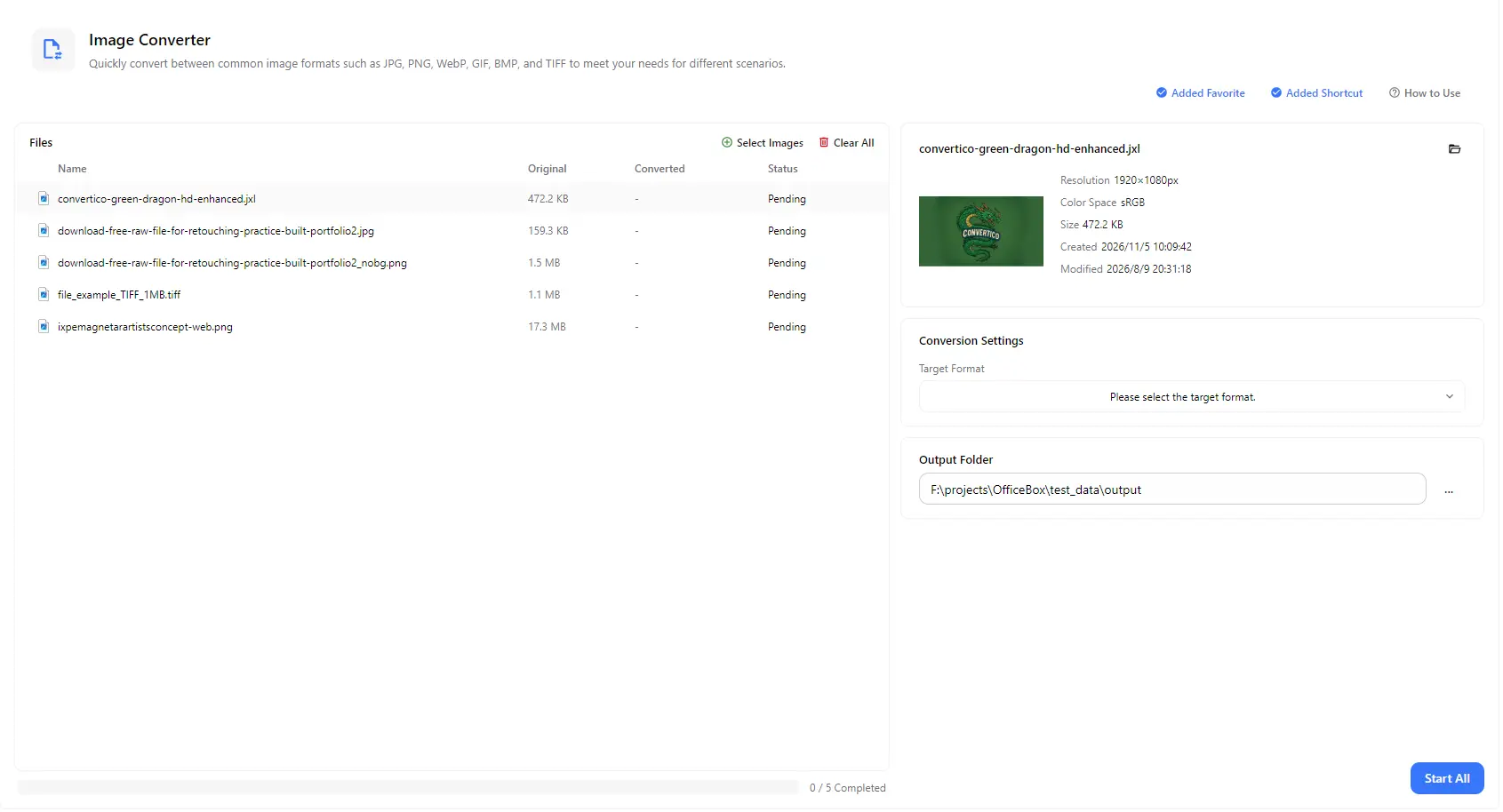
Convert images between more than 20 formats, from everyday JPG, PNG and WebP to HEIC, SVG, PSD, AVIF and more. Add one image or a whole batch, choose a target format, compare original and converted sizes, and save the results to the folder you choose.
Features
Convert from JPG, JPEG, PNG, WebP, GIF, APNG, AVIF, HEIC, TIFF, TIF, BMP, SVG, ICO, JXL, PSD, DDS, TGA, EXR, HDR, QOI and JP2, so you rarely have to worry about whether a file is supported.
Choose a target format from JPG, JPEG, PNG, WebP, GIF, APNG, AVIF, TIFF, TIF, BMP, ICO, JXL, DDS, TGA, EXR and HDR to match the app, website or workflow you are working with.
Add many images, even in different formats, choose one target format and convert them all together with a single Start All action.
Turn HEIC photos, WebP and AVIF downloads, or PSD and SVG files into widely supported formats such as JPG and PNG that work with a wider range of computers, websites and applications.
See each file's original size next to its converted size, along with its status. Select an image to view its resolution, color space, size and dates.
Pick an output folder and find all converted images in one place when processing finishes, with an overall progress count for the batch.
How it works
Open PurZeno and select Image Converter from the tool list.
Click Select Images to add one or more files, then choose the target format you want from the Target Format list.
Choose an output folder and click Start All. When all files show as completed, open the folder to find your converted images.
Use cases
Turn HEIC photos into JPG so they work with a wider range of computers, websites and email applications, with fewer compatibility issues.
Convert images downloaded from websites into JPG or PNG when older software, document editors or online forms do not accept WebP or AVIF.
Export vector logos and Photoshop files to PNG or JPG for presentations, documents, email signatures and previews, without needing the original design software.
Convert artwork to ICO for app and website icons, or to formats such as DDS, TGA, EXR and HDR for game engines and 3D and rendering workflows.
Good to know
Add your HEIC files with Select Images, choose JPG as the target format, select an output folder and click Start All. You can convert many HEIC photos in one batch.
You can open JPG, JPEG, PNG, WebP, GIF, APNG, AVIF, HEIC, TIFF, TIF, BMP, SVG, ICO, JXL, PSD, DDS, TGA, EXR, HDR, QOI and JP2 files. You can convert them to JPG, JPEG, PNG, WebP, GIF, APNG, AVIF, TIFF, TIF, BMP, ICO, JXL, DDS, TGA, EXR or HDR.
Yes. Add as many images as you need, choose one target format and convert them all in one batch. Each file shows its own status, and the progress bar tells you how many files are completed.
No. SVG, PSD, HEIC, QOI and JP2 files can be opened and converted to other formats, but they are not available as target formats.
Use JPG for photos that need to be small and widely compatible, PNG for graphics, screenshots and images with transparency, and WebP or AVIF for compact images on websites.
Converting to a lossless format such as PNG, TIFF or BMP preserves the decoded image quality without adding further lossy compression. However, it cannot restore details already lost in the original image. Lossy formats such as JPG may reduce image quality during conversion. Note that JPG does not support transparency, so use PNG, WebP or AVIF to keep a transparent background.
No. PurZeno converts images locally on your computer. Your images are not uploaded to PurZeno or any third-party server.
Get PDF, image and file tools in one private desktop app, and keep your files on your computer.
Download PurZeno